For TradingView traders

Never miss
your alert again.

Working. Gaming. Watching videos. Your TradingView alert pops up, and you forget it.
Our little robot holds it up until you answer.

I trade

You’re in!We’ll email you when it’s ready. Only then.

Free try when it’s ready · Mac and Windows · We never share your email

Waiting for your alert

See the difference

Same alert.
Two endings.

Without the robot
9:00
TSLA · 15m · Chart
TradingViewTSLA Crossing 248.30
now
1
Your alert rings.A small popup. For a few seconds.
9:05
TSLA · 15m · Chart
Game
Round 3HP 100
Video
Inbox · Work

Boss Need this today

Team call Moving to 10:30

Client Quick question…

2
You think “later.” You get busy.Work, a game, a video. The popup is gone.
12:00
TSLA · 15m · Chart
Missed the move
3
3 hours later, you remember.Price already ran without you.
With the robot
9:00
TSLA · 15m · Chart
TSLAPrice is at your alert
TradedLaterSkip
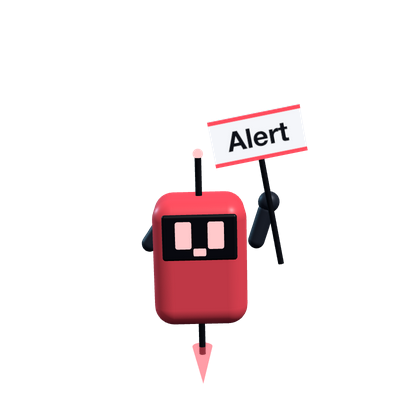
Robot holding an Alert sign
1
Your robot holds it up.It stays on your screen. It doesn’t go away.
9:01
TSLA · 15m · Chart
Game
Round 3HP 100
Video
Inbox · Work

Boss Need this today

Team call Moving to 10:30

Client Quick question…

Asks again at 9:15
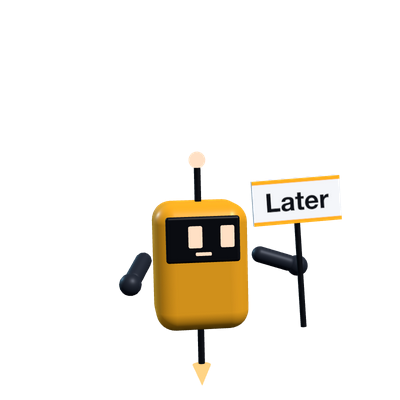
Robot holding a Later sign
2
You tap Later → Next candle.Go work, play, watch. The robot waits.
9:15
TSLA · 15m · Chart
TSLAStill at your alert
TradedLaterSkip
Robot knocking with an Alert sign
You took the trade
3
9:15. It knocks. You take the trade.You followed your plan.

Trading can be a good investment when your strategy is proven.
So don’t miss the trade.

You see it. You forget.
The trade is gone.

Busy

Your alert pops up while you’re working, gaming or watching videos.

Later

You say “I’ll check later.”

Forget

Later never comes.

Gone

When you look, the trade is gone.

A proven strategy only pays off if you take every trade.
Never miss one again.

How

So easy.

Create alert on TSLA
ConditionCrossing 248.30
TriggerOnce
Create
1

Make an alert in TradingView.

Like you always do.

Nothing new
Notifications
✓Webhook URL
Pasted once. Done.
2

Paste your robot link.

One time. One minute.

Only once
TSLAPrice is at your alert
TradedLaterSkip
3

The robot holds up your alert.

It stays until you answer.

Every time

TradingView

Works with
TradingView.

Your alert goes to your robot. That’s it.

Your alertIn TradingView
Your linkPaste it once
Your robotPops up
No password
No extension
Doesn’t see your screen
Doesn’t trade for you

TradingView is a trademark of TradingView, Inc. Never Miss Trade is an independent app and is not affiliated with TradingView.

When it rings

Tap one button.

TradedYou took it in your broker.
LaterIt asks you again. You pick when.
SkipNot this one.
You trade in your own broker. On your computer, or in your broker’s app on your phone. Whatever you like. We never touch your money. We just make sure you never miss the alert.
TSLA15m248.30

Price is at your alert

TradedLaterSkip

Step by step

What happens
when it rings?

1It pops up with the real chart

Not just text. Your robot pops up with a real TradingView chart of your symbol. See the move right away. No need to open anything.

TSLA248.30
Price is at your alert
Live TradingView chart
TradedLaterSkip
2It knocks. You pick how often.

On a call? Busy with something else? It knocks on your screen until you tap a button. Pick how often in Settings.

Knock
15 sec30 sec45 sec2 min
3Later? You pick when.

Tap Later, then pick when it asks again. Change the minutes in Settings. Next candle uses your chart’s timeframe. It comes back even after a restart.

5 min15 minNext candle
4Traded? Write a note.

You trade in your own broker, like always. Then tap Traded. Write why you took it, if you want.

Saved as traded. Why?Broke the high on volume
5Everything is saved.

History shows every alert and what you did.

TSLA TradedNQ1! SkippedBTCUSD Later
+Want a heads-up before it hits?

Optional. Add our free TradingView indicator to your chart. Then the robot also sees your price before the alert rings. It tells you when price is getting close, and when it reminds you, if it’s still good or too late.

Price is closeStill good

Your robot

Meet your robot.

It changes when your alert rings.

Calm

Waiting for your alert.

Alert

Look! Your alert.

Later

It asks you again soon.

It sits on top of everything. Work, games, videos.
Don’t answer? It knocks on your screen.

What it does

It does the
boring part.

It knocks

It knocks on your screen until you answer. You pick how often.

Later

5 min, 15 min, or next candle. You pick the minutes.

Your broker

You trade where you always trade. We never touch your money.

History

See every alert and what you did.

TSLA TradedNQ1! SkippedBTCUSD Later

Notes

Write why you took it.

Tiny

Small. Drag it anywhere.

Private

It never sees your screen.

“I kept missing my own TradingView alerts while I was busy on my computer. So I built a robot that won’t let me.”The trader who built Never Miss Trade

Join the waitlist.

Leave your email. You’ll be first to try it free when it’s ready.

I trade

You’re in!We’ll email you when it’s ready. Only then.

One email when it’s ready. No spam. We never sell or share your email. Privacy

Questions

Do I need paid TradingView?

Yes. The robot uses webhooks. Webhooks need a paid TradingView plan.

Does it trade for me?

No. You trade. It just reminds you.

Can I take the trade on my phone?

Yes. The robot reminds you on your computer. Then take the trade wherever you like, even in your broker’s app on your phone.

Can it see my screen?

No. Never.

Which markets?

All of them. If TradingView can alert it, it works.

Mac or Windows?

Both.

Join the waitlist